Seasonal planning
Schedule work around key dates such as the start of the season or the annual general meeting.

Planning, shifts & events
An event starts long before the day itself. Record the preparation in a reusable plan, with a responsible committee for each step. Use the event date to schedule the work.
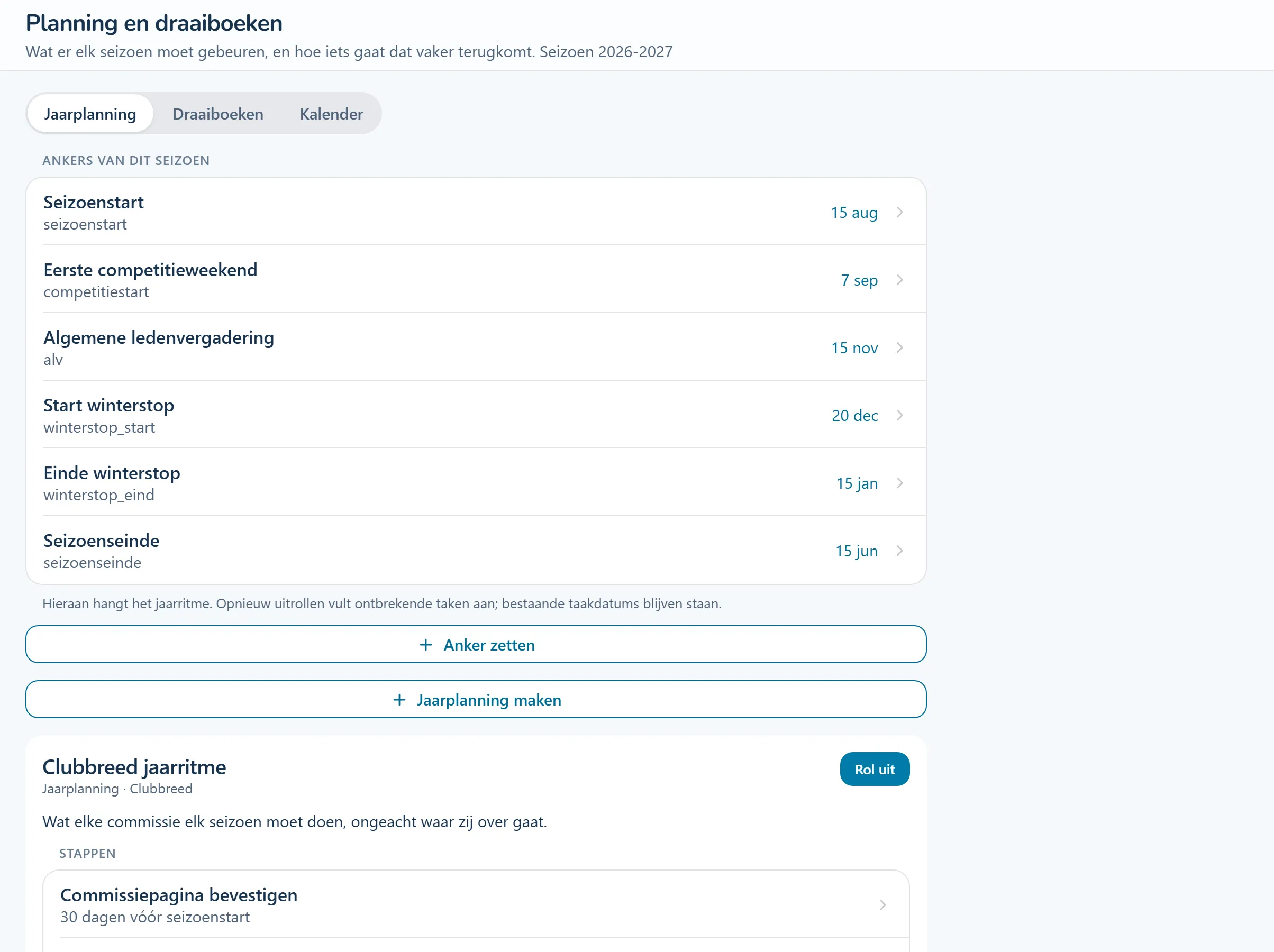
Product screenshots show the Dutch interface with fictional people and sample data.
Record the steps for an event or for recurring work throughout the season.
Start a plan for a particular event or generate the season's tasks around its key dates.
Tasks have a responsible committee. Create a one-off volunteer task when you need extra hands at a particular time.
Tasks from this area, step by step. The guides are in Dutch and name the buttons as they appear in the Dutch interface.
Your club runs an open day. The event plan covers preparation by the communications, facilities and volunteer teams. For the next edition, reuse the plan with a new date.
Schedule work around key dates such as the start of the season or the annual general meeting.
Keep the steps for a tournament, event or other recurring activity.
Record which committee handles each part of the preparation.
Share a specific task with a date and location. Volunteers can sign up for that contribution.
Look at the work that happens before, during and after this process.
Plan recurring work around key dates in the season. Generate tasks with dates and responsible people, then use task reminders to follow up.
Give preparation a place before the deadline arrives.
How this feature works (Dutch)Keep the steps for recurring activities and start a new run around a date. For unexpected situations, start a response checklist immediately with the steps to follow.
Give the next organiser a practical starting point.
How this feature works (Dutch)Publish an activity and share its registration link. Participants register without an account. Set a capacity and waiting list, and choose free registration, payment through a configured provider or invoicing afterwards.
Keep participants and payment status with the same activity.
How this feature works (Dutch)Schedule shifts by day and time, with recurrence and staffing requirements. Assign a shift to a team, keep cancellations visible and record attendance. You can check qualifications for the shift.
See which upcoming shifts still need people. Bar-duty qualification rules currently follow the Dutch setup.
How this feature works (Dutch) Step-by-step guide (Dutch): Hoe zet ik bardiensten in het rooster?Record who works with each team, under what arrangement and for which period. Keep additional agreements and see approaching end dates. Remuneration is restricted to people with financial permission.
Hand over coaching arrangements while the amounts stay restricted.
How this feature works (Dutch) Step-by-step guide (Dutch): Hoe leg ik een afspraak met een trainer vast?Look around a sample club. Try a workflow and switch between the example roles to see how access changes. The demo introduction and club content are in Dutch.
No account needed. Your practice environment is available for four hours.