A record for each sponsor
Keep contacts, contracts and upcoming actions together.
Sponsorship
From the first conversation to putting up a sign, sponsorship involves several parts of your club. Clubista keeps the agreement and its delivery together under the same sponsor.
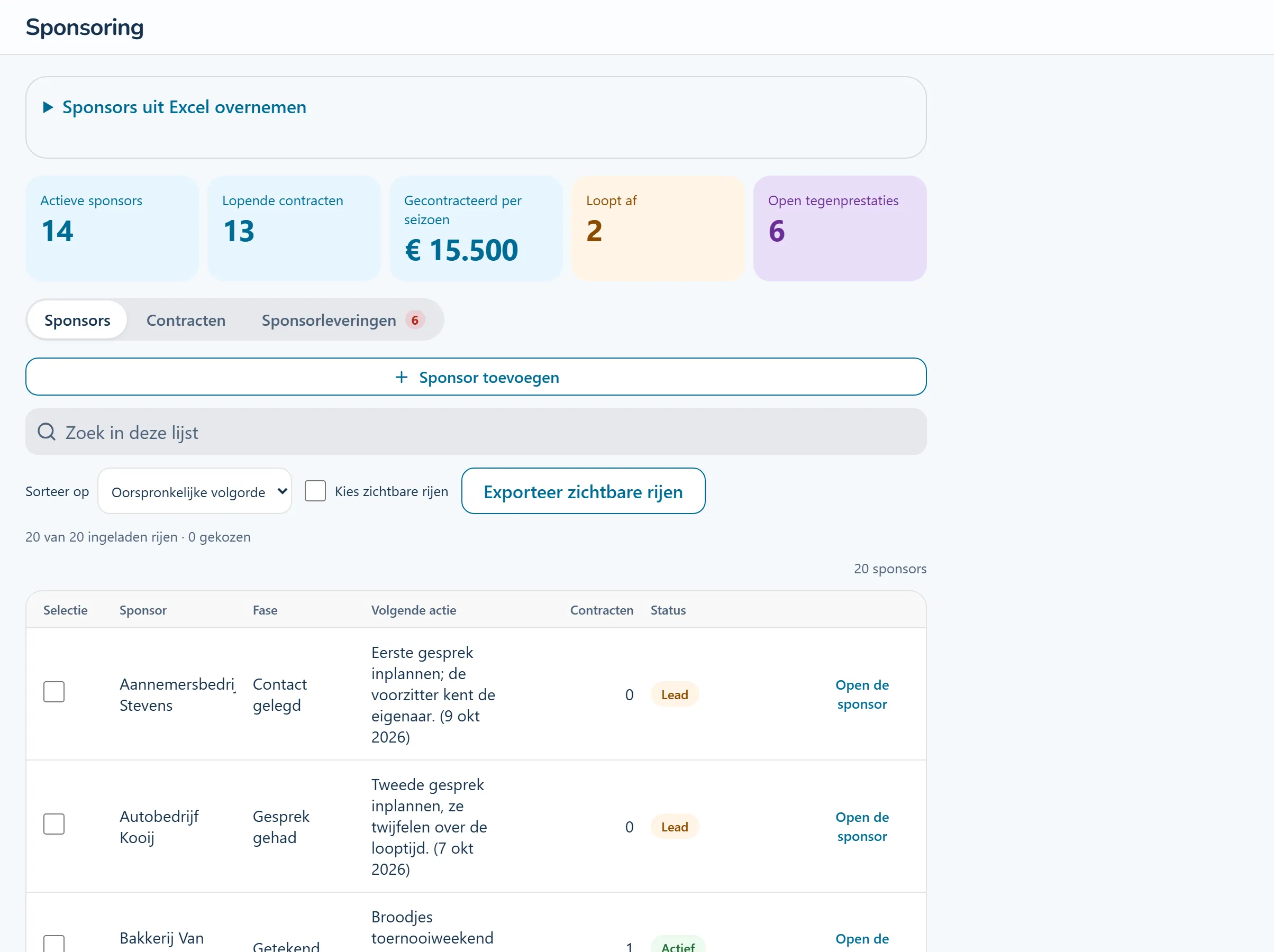
Product screenshots show the Dutch interface with fictional people and sample data.
Record the stage of the relationship and the next action, with a date.
Store the contract details and document. Record what your club will deliver and which committee is responsible.
The relevant committee records its work with supporting evidence. The sponsorship team can check progress against the agreement.
Tasks from this area, step by step. The guides are in Dutch and name the buttons as they appear in the Dutch interface.
A sponsor agrees to a sign beside the pitch. The sponsorship team records the contract. The grounds committee handles the installation and records when the sign is in place.
Keep contacts, contracts and upcoming actions together.
A sign, logo placement or other commitment becomes work for the committee delivering it.
Record sign positions and see which spaces are available or need work.
Use contract details for sponsorship invoices and exports. Check whether the invoice settings meet your club's requirements before use.
Look at the work that happens before, during and after this process.
Keep contacts, conversation stages and next actions under each sponsor. Record contract amounts, terms and commitments, with approaching end dates and notice deadlines visible.
Go into the next conversation with the agreement at hand.
How this feature works (Dutch) Step-by-step guide (Dutch): Hoe leg ik een nieuwe sponsor vast?Create a document from a sponsorship contract and invite its signers. Track signatures from the other party and the authorised club representatives. The document keeps the content that was sent for signing.
See which signatures are still needed to complete the agreement.
How this feature works (Dutch) Step-by-step guide (Dutch): Hoe laat ik een contract tekenen? Step-by-step guide (Dutch): Hoe teken ik een document namens de club?Assign each commitment to the committee delivering it. The volunteer records completion with evidence, without access to the contract amounts.
Turn a sponsorship package into work for the people delivering it.
How this feature works (Dutch)Place advertising boards on the map and link them to sponsors. See available spaces and the installation, replacement or removal work. Sponsorship and grounds volunteers use the same layout.
Keep sales and installation focused on the same position.
How this feature works (Dutch) Step-by-step guide (Dutch): Hoe verplaats of vervang ik een reclamebord?Create draft invoices from signed contracts, review them and send them individually or in a batch. Track outstanding balances, record payments and send reminders. Export Dutch UBL or a CSV journal.
Follow a contract through to its invoice and payment status.
How this feature works (Dutch)Give a sponsor a personal link to contract status, delivered commitments and outstanding invoice amounts. They can update contacts, send a message or express interest in a package.
Let sponsors find their information without accessing the internal club workspace.
How this feature works (Dutch)Let businesses describe what they do, need and offer. Support introduction requests, meetings, updates and conversations. The committee manages access and publication.
Give business club members a place to find each other.
How this feature works (Dutch)Look around a sample club. Try a workflow and switch between the example roles to see how access changes. The demo introduction and club content are in Dutch.
No account needed. Your practice environment is available for four hours.