A budget and authority for each committee
Make clear which decisions a committee can take and when further approval is needed.

Budgets & expenses
A committee needs to know what it can commit to. Clubista keeps its seasonal budget and decision-making authority together. Financial review and payment have their own steps.
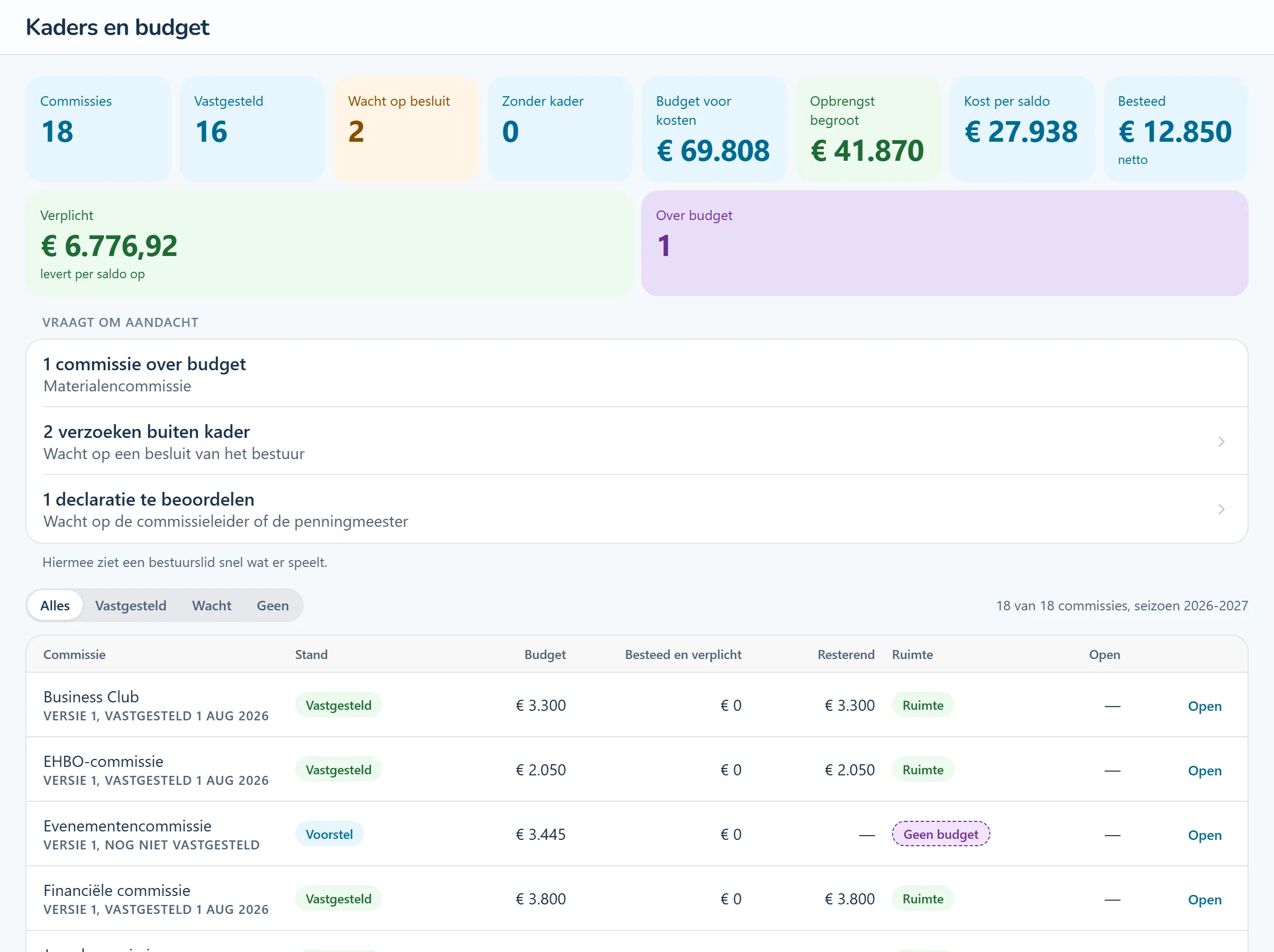
Product screenshots show the Dutch interface with fictional people and sample data.
The responsible volunteer sets out the committee's goals, budget items and decision-making authority.
The authorised reviewer approves the budget framework. Changes create a new version, and you can still read the earlier agreements.
View recorded spending and commitments. Expense claims and requests outside the agreed limits are reviewed separately.
Tasks from this area, step by step. The guides are in Dutch and name the buttons as they appear in the Dutch interface.
A committee wants to spend more on an event than agreed. It submits a request with an amount and explanation. The request goes through a visible review, alongside the existing budget.
Make clear which decisions a committee can take and when further approval is needed.
Volunteers submit an amount and a receipt. The review and payment status stay with the claim.
Prepare proposals without changing the current season. Compare the previous budget, recorded spending and the new request.
Your accounting system remains the financial record. Where import and export options are available, you can use them to exchange information with it.
Look at the work that happens before, during and after this process.
Prepare, review and approve a budget for each season. Record which decisions the committee can take. Updated agreements get a new version while earlier versions remain available.
Each committee has a budget and knows which decisions it can take.
How this feature works (Dutch) Step-by-step guide (Dutch): Hoe vraag ik een uitgave buiten het kader aan?Submit an expense claim with its receipt and follow the review and payment status. Spending outside the agreed limits goes through a separate request, with an amount and an explanation.
Keep the request, evidence and decision together.
How this feature works (Dutch) Step-by-step guide (Dutch): Hoe dien ik een declaratie in? Step-by-step guide (Dutch): Hoe beoordeel ik een declaratie?Collect approved claims into a payment batch and check for missing bank details. Export a SEPA file for your bank. Payment itself is authorised and processed in the banking environment.
Prepare a payment instruction from approved claims. Requires compatible SEPA banking.
How this feature works (Dutch) Step-by-step guide (Dutch): Hoe maak ik een betaalronde voor declaraties?View recorded expenditure alongside commitments entered by committees. Orders can be visible before their invoices reach the accounts.
See commitments as well as money already spent.
How this feature works (Dutch)Prepare the next season while the current one continues. Compare each committee's previous budget, recorded spending and new proposal, then bring proposals together for approval.
Use the current season to inform the next budget.
How this feature works (Dutch) Step-by-step guide (Dutch): Hoe stel ik een kader vast?Collect costs, invoices and proof of payment in a dossier and see which documents are missing. The current workflow is designed for the Dutch BOSA scheme; it does not tell you whether you qualify for funding.
Keep supporting records together throughout the season.
How this feature works (Dutch)Look around a sample club. Try a workflow and switch between the example roles to see how access changes. The demo introduction and club content are in Dutch.
No account needed. Your practice environment is available for four hours.