Equipment by team
Find which equipment belongs with each team and what is still available.
Equipment & facilities
Stock, allocation and ordering belong together. Clubista shows what is available and what has been issued to a team or person. The grounds map makes facilities easy to find.
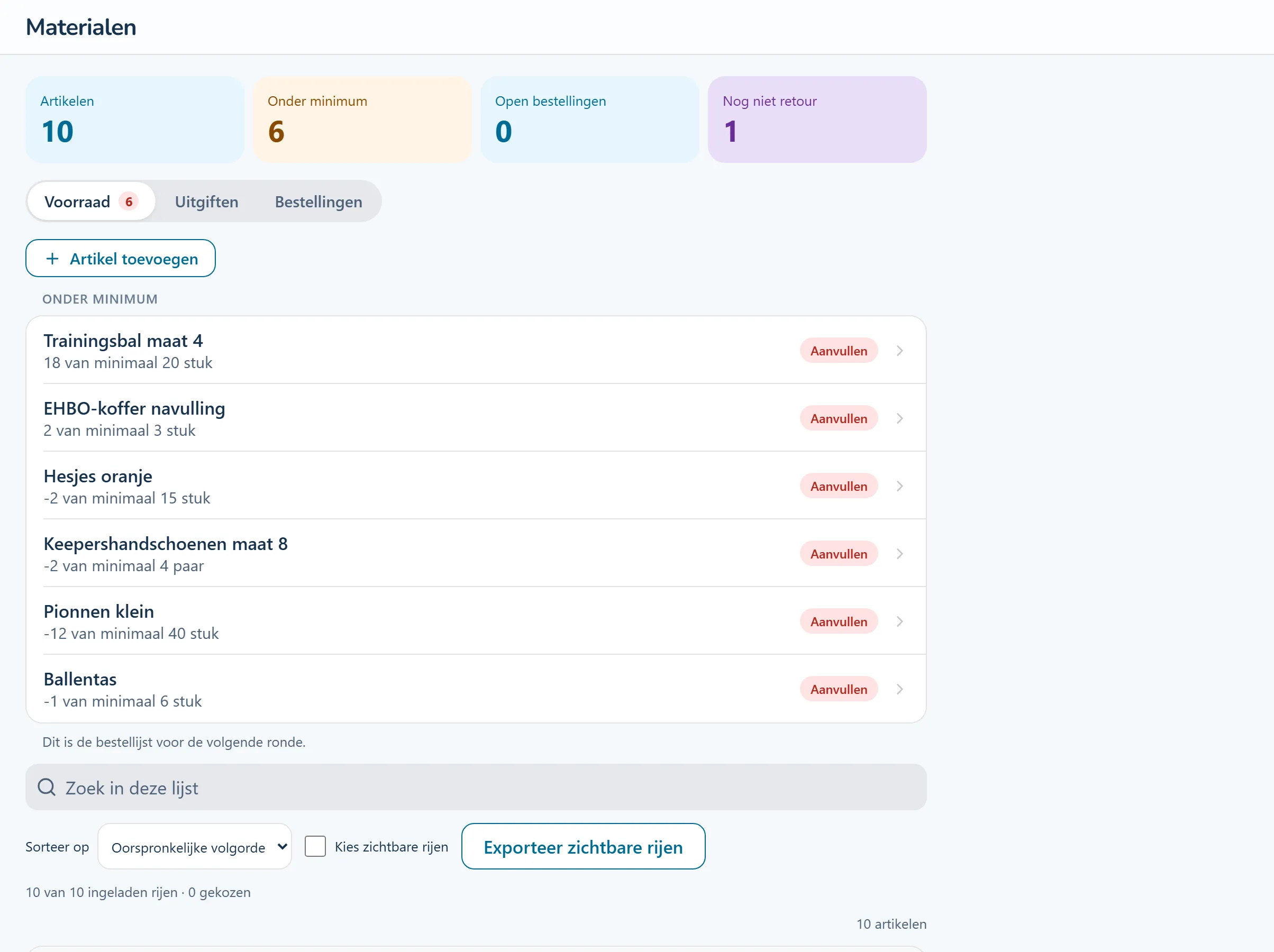
Product screenshots show the Dutch interface with fictional people and sample data.
Record equipment and kit with the information you need to manage and issue it.
Keep a record of what each team or person has received. Use it when arranging replacements or returns.
Review stock and orders before buying again. Add recurring maintenance work to the planning.
Tasks from this area, step by step. The guides are in Dutch and name the buttons as they appear in the Dutch interface.
A new volunteer takes over equipment management. The overview shows what has been issued to teams and which items are still in stock.
Find which equipment belongs with each team and what is still available.
Track kit stock, allocations, deposits and orders.
Make pitches, buildings and facilities easy to locate, and record the responsible team.
A new volunteer can review existing stock and allocations when taking on equipment management.
Look at the work that happens before, during and after this process.
Record equipment and allocations by team. Keep track of stock and orders. Placed orders can appear as commitments against the committee budget.
Connect equipment management with its costs.
How this feature works (Dutch) Step-by-step guide (Dutch): Hoe houd ik materialen bij en bestel ik bij?Plan kit by team or age group, including sizes and replacement years. Record allocations and deposits. Orders include quantities, printing and prices.
See what teams have and what needs replacing next season.
How this feature works (Dutch) Step-by-step guide (Dutch): Hoe bestel ik kleding bij de leverancier? Step-by-step guide (Dutch): Hoe geef ik kleding uit en houd ik de borg bij?Map pitches, buildings and rooms. Find who manages a location, what is stored there and who holds a key. View the grounds in 3D and explore at eye level.
See which people and equipment use each facility.
How this feature works (Dutch)Record inspections and expiry dates for facilities. Upcoming checks stay visible, so follow-up becomes routine.
Find inspection information alongside the facility it concerns.
How this feature works (Dutch)Look around a sample club. Try a workflow and switch between the example roles to see how access changes. The demo introduction and club content are in Dutch.
No account needed. Your practice environment is available for four hours.