Your own committees and positions
Use your club's names and structure. Record what each position involves and who holds it.

Volunteers & organisation
Some volunteers contribute every week. Others help at a single event. You can use Clubista for permanent positions, temporary cover and one-off tasks. Set up the organisation around the way your club works.
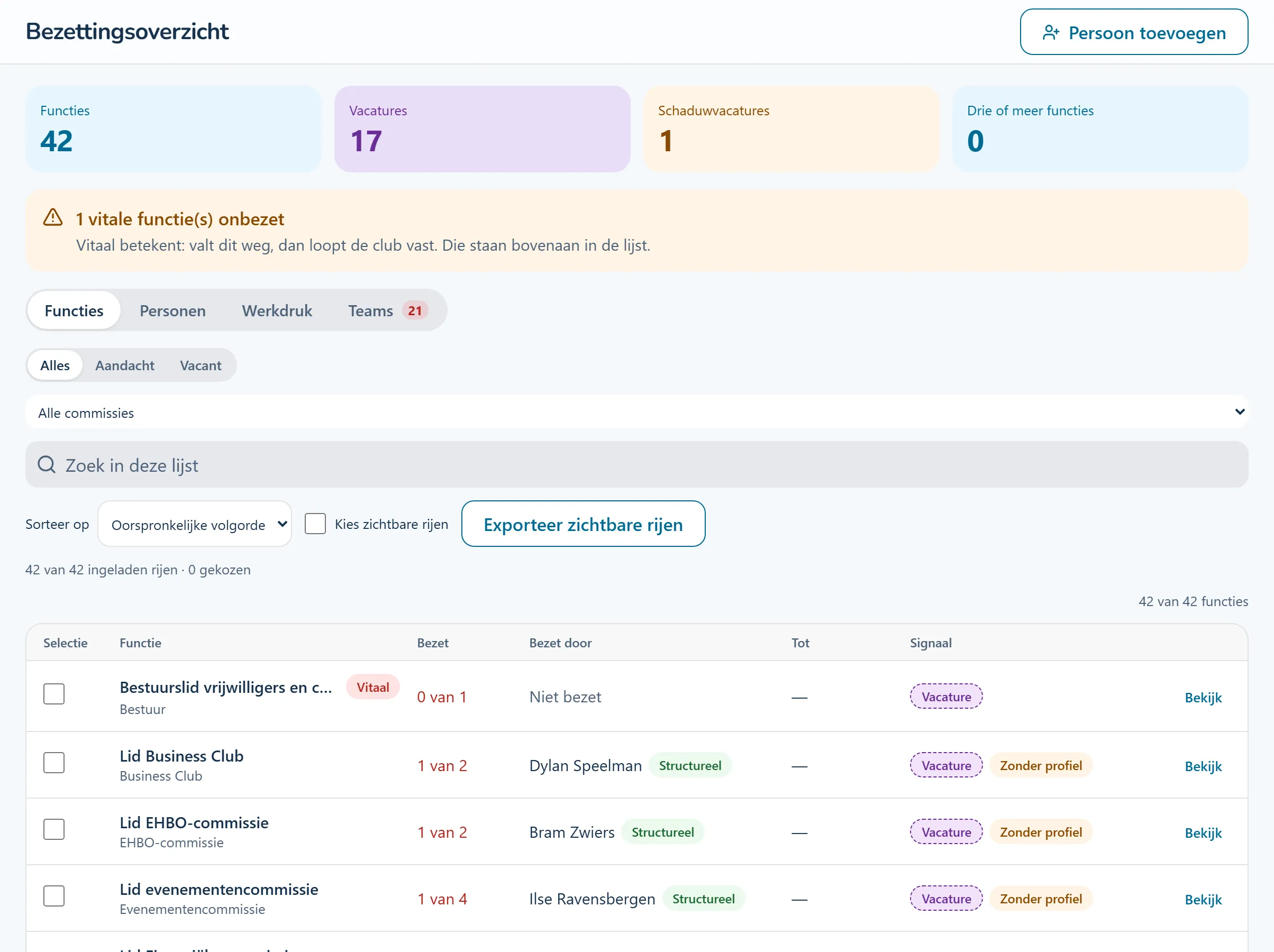
Product screenshots show the Dutch interface with fictional people and sample data.
Create committees and positions with clear descriptions. An organisation chart and public directory help people find the right team.
Record whether someone holds a position permanently or is providing temporary cover. Vacancies remain visible even when someone is keeping things going.
Publish a vacancy for an ongoing position or share a link to a one-off task. Helpers can sign up through that link without an account.
Tasks from this area, step by step. The guides are in Dutch and name the buttons as they appear in the Dutch interface.
You need extra hands to set up a tournament. The committee creates a task and shares the link. Helpers sign up without becoming committee members.
Use your club's names and structure. Record what each position involves and who holds it.
Distinguish permanent appointments, cover and interim positions. See expired cover and people holding several positions.
The club directory helps members and parents find the committee that handles their question.
A task has a date, a location and a number of helpers needed. The organiser keeps track of sign-ups and attendance.
Look at the work that happens before, during and after this process.
Help members, parents and visitors find the right committee by topic. The directory and organisation chart are available without an account.
People know where to take their questions.
How this feature works (Dutch)Set up your own committees, positions and responsibilities. Record who holds each position and who can act on behalf of a committee.
Build around the way your club shares its work.
How this feature works (Dutch)Distinguish permanent appointments, temporary cover and interim positions. See vacancies, approaching end dates and people holding several positions.
Keep temporary arrangements visible when planning succession.
How this feature works (Dutch) Step-by-step guide (Dutch): Hoe wijzig ik wie een functie vervult?Turn an open position into a public vacancy. Track recruitment with an owner, status and notes. Filled vacancies come off the public listing.
A gap in coverage becomes a specific request for help.
How this feature works (Dutch) Step-by-step guide (Dutch): Hoe publiceer ik een vacature?Share a task with a date, location and the number of helpers needed. People can sign up without an account. A reserve list handles extra sign-ups, and the organiser records attendance.
Make space for people who can help occasionally.
How this feature works (Dutch) Step-by-step guide (Dutch): Hoe vraag ik handen voor een klus?Import existing lists and review the differences first. Choose which changes to accept, ignore or revisit later. Source settings determine which record takes precedence.
Start with existing data while staying in control of changes.
How this feature works (Dutch)Look around a sample club. Try a workflow and switch between the example roles to see how access changes. The demo introduction and club content are in Dutch.
No account needed. Your practice environment is available for four hours.